
ARTA: AI Art & Photo Generator
AIBY Inc.Art & Design
4.22.11K Reviews
- Version
- 3.36.5
- Installs
- 1.00M
- Age Rating
- Everyone
Screenshots
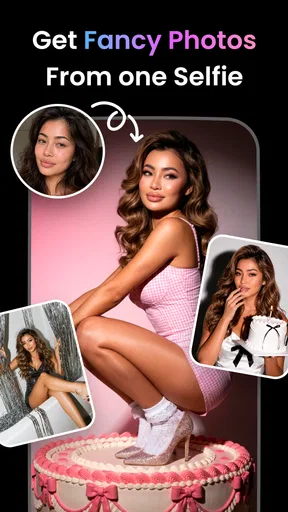
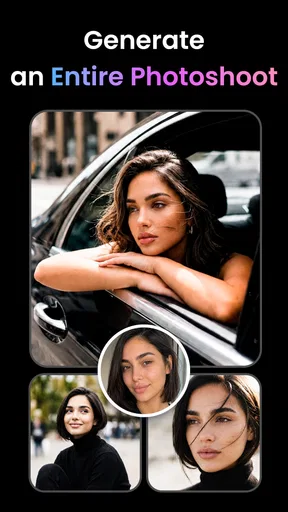
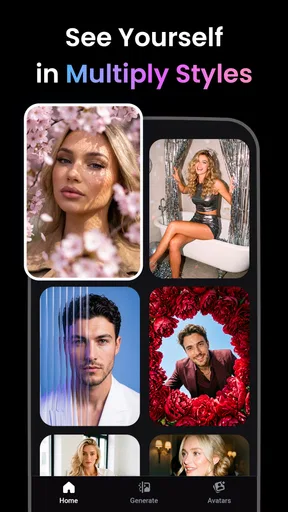
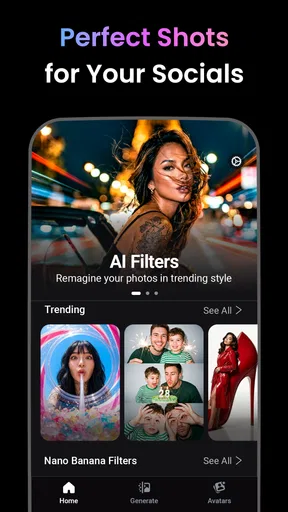
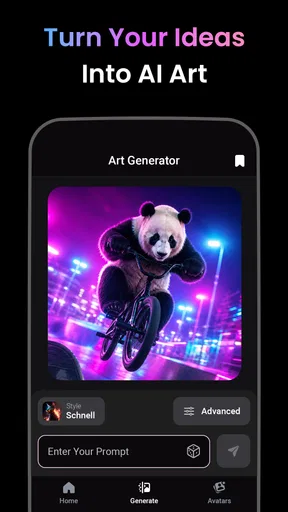
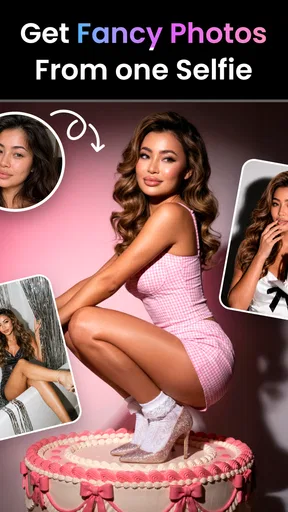
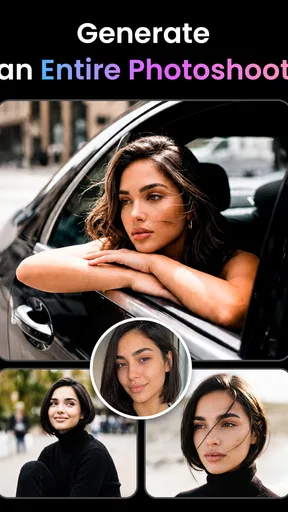
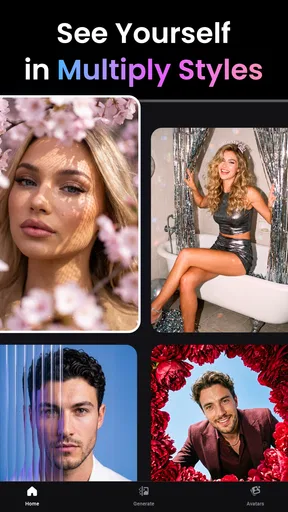
Our Review of ARTA: AI Art & Photo Generator
 Analysis by Appyee
I see ARTA as a playful shortcut from an ordinary picture to an AI-made visual, not a replacement for learning to draw or editing every detail by hand. That distinction matters: it is at its best when I want to explore an idea quickly, try a different look for a portrait, or make a photo feel more imaginative. If I want precise control over every brushstroke, I would reach for a conventional art tool instead.
As an art-and-design app from AIBY Inc., ARTA: AI Art & Photo Generator sits between a photo editor and a creative prompt-based tool. Its appeal is the low barrier to trying visual ideas: I can start with a picture or a concept and see what direction the generator takes. It is free to install, rated for Everyone, and has an average rating of 4.2 from around 36,000 ratings, with more than a million installs. That gives a new user a quick sense of its broad appeal, though popularity alone cannot guarantee that every generated image will suit a particular taste.
Where the creative payoff is strongest
The useful question is not simply whether an image looks polished, but whether it helps me get unstuck. ARTA can be handy when I have a vague visual idea and want several stylistic directions to react to. Rather than opening a blank canvas and deciding every detail myself, I can use a generated result as a starting point, then decide what mood, color treatment, or subject emphasis feels right.
That makes it well suited to casual creative tasks: testing a profile-picture concept, making a personal image feel more illustrative, or collecting visual references before beginning a more deliberate project. I would treat the output as a draft or a playful finished image, depending on the result, rather than assuming every generation will be ready for professional use.
A practical tip is to choose the source image with the final purpose in mind. A clear subject and a simple background are often easier to judge across different styles than a busy photo with several competing details. If the first result misses the mood, changing the source picture may be more useful than repeatedly asking one image to do everything. I also like comparing alternatives before settling on one; the first attractive result is not necessarily the one that best communicates the idea.
How it fits into an everyday creative routine
Imagine I want a more distinctive image for a group chat or a casual social post, but I have only a few minutes and no interest in learning a full editing suite. I can pick a photo, explore a visual treatment, and decide whether the result feels personal enough to share. The value is not just speed; it is the quick comparison between the original and a transformed interpretation, which can reveal an unexpected direction I might not have chosen on my own.
For a small design project, I would use ARTA earlier in the process than a standard layer-based editor. It can help me explore an atmosphere or generate a visual reference, while a traditional editor is better for exact cropping, careful retouching, consistent typography, or matching a strict brand palette. Those tools solve different problems, so I would not judge ARTA by whether it behaves like a full desktop art program.
It is also worth asking what happens after creation. The app is intended for making images, so I would check the finished file at the size and on the screen where it will actually be used before sharing or printing. A result that looks expressive as a phone image may not hold up as a large print, and an AI interpretation can alter small facial or object details. For a keepsake or a client-facing image, I would inspect those details rather than assuming a striking overall style means every part is accurate.
What to weigh before relying on it
ARTA is not the right choice when accuracy is more important than interpretation. If I need a faithful product photo, a precise portrait retouch, or artwork that follows exact construction instructions, I would use a conventional editor or make the image manually. Generative results can surprise in useful ways, but that unpredictability is also the trade-off: a pleasing style may come with details that differ from the source or from what I pictured.
Access is another part of the decision. The app is free, but it includes in-app purchases ranging from $0.99 to $49.99 per item, so I would explore the free experience before paying for anything. The current version is 3.30.5 and it requires iOS 11 or later. If I plan to use it often, I would first work out which tools I actually return to and whether paid access makes sense for that routine, instead of treating every available option as essential.
There is a useful distinction between casual experimentation and repeatable production. For a one-off avatar or a personal art experiment, variation can be part of the fun. For a series that needs the same look across many images, I would test several examples first and make sure the style stays consistent enough for the job. That small trial can save time and help set realistic expectations before I build a larger project around generated results.
A recommendation with a clear boundary
I would recommend ARTA to people who enjoy visual experimentation, want an approachable way to explore AI-generated imagery, or need a quick creative starting point without drawing skills. It makes the most sense for personal projects and informal sharing, where an unexpected detail is not a disaster and the process is part of the entertainment. Beginners can also use it to notice how changing the treatment of the same subject affects its mood.
I would skip it if I needed dependable, hands-on control, exact likeness, or a predictable production workflow. In those cases, a standard photo editor, a drawing app, or a human illustrator is likely to be a better fit. ARTA’s strength is opening a door to possibilities quickly, not promising that every image will match a tightly specified brief.
Have you ever wanted to turn your photos into stunning pieces of art without having to pick up a brush? Well, let me introduce you to ARTA: AI Art & Photo Generator. This app is like having a personal artist in your pocket, ready to transform your snapshots into masterpieces with just a few taps.
Unleashing Your Inner Artist
I remember the first time I opened ARTA. It was like stepping into an art gallery where my photos were the exhibits. The app works its magic using advanced AI technology to apply artistic styles to your images, and the results are nothing short of breathtaking.
The user interface is super intuitive. You don’t need to be tech-savvy to navigate through it. Simply upload a photo, choose from a variety of art styles, and watch the transformation unfold. From Van Gogh’s swirls to Picasso’s abstractions, the options are plentiful. And let me tell you, experimenting with different styles is half the fun!
Features that Stand Out
What makes ARTA truly shine is its extensive collection of styles. You’re not just limited to a handful of options. There are dozens of artistic filters that cater to every taste. Whether you’re into classic art or modern aesthetics, there’s something for everyone.
One feature I found particularly cool is the ability to adjust the intensity of the effect. Sometimes you want a subtle hint of art, and other times you’re in the mood for a full-blown transformation. With ARTA, you’re in control, allowing you to customize the look to your heart’s content.
Oh, and did I mention the speed? The app processes your images in the blink of an eye. No more twiddling your thumbs waiting for results. It’s perfect for those of us who want instant gratification.
Sharing the Love
Once you’ve created your masterpiece, sharing it with the world is a breeze. ARTA makes it incredibly easy to post your newly minted artwork directly to social media platforms. I’ve had a blast showing off my creations on Instagram, and the feedback has been fantastic. You might just become the next viral sensation!
For those who prefer keeping things a bit more personal, you can save your creations to your device. They make excellent wallpaper material, or you can print them out and frame them for a unique home decor piece.
Room for Improvement?
While ARTA is a fantastic app, no app is perfect. One thing I noticed is that some styles work better with certain types of images. It might take a bit of trial and error to find the perfect match for your photo. But honestly, I see this as part of the creative process. Experimenting is all part of the fun of art, right?
Another point to consider is that while the app offers a free version, unlocking all the features requires a subscription. If you’re someone who plans to use it frequently, it might be worth the investment.
In terms of performance, the app runs smoothly on most devices. However, older phones might experience a bit of lag, especially with high-resolution images. But nothing that detracts significantly from the overall experience.
Final Thoughts
In a world where everyone’s a photographer, ARTA: AI Art & Photo Generator sets you apart by adding an artistic flair to your images. It’s user-friendly, fast, and offers endless possibilities for creativity. Whether you’re a casual user or an art enthusiast, this app is definitely worth a try.
So go ahead, unleash your inner artist, and transform your everyday photos into extraordinary works of art. Who knows? You might just discover a hidden talent for creating visual masterpieces!
Verdict
Strengths of ARTA: AI Art & Photo Generator
- Impressive AI-generated art quality.
- User-friendly interface for beginners.
- Wide variety of art styles available.
- Quick processing time for creations.
- Regular updates with new features.
Limitations of ARTA: AI Art & Photo Generator
- Occasional app crashes reported.
- Limited free options; in-app purchases needed.
- Requires a stable internet connection.
- Some features are locked behind paywall.
- Ads can be intrusive for free users.
Other Releases by AIBY Inc.
View All
ChatOn - AI Chat Bot Assistant
Productivity4.5

Fonts Art - Keyboard Fonts
Personalization4.5

Plantum - Plant Identifier
Education4.4

Themify: Theme & Icon Changer
Personalization3.7
Similar Picks in This Category
View All
Canva: AI Photo & Video Editor
Canva4.8

PENUP – Drawing-sharing SNS
Samsung Electronics Co., Ltd.4.5

Crafto
Kutumb App4.6

Sketchbook
Sketchbook4.1

ibis Paint X
ibis inc.4.5

Adobe Express: AI Photo, Video
Adobe4.6
Frequently Asked Questions
What is ARTA: AI Art & Photo Generator?
ARTA: AI Art & Photo Generator is an innovative app that uses artificial intelligence to transform your photos into stunning artworks. It provides a variety of artistic styles and effects, enabling users to create unique and personalized images effortlessly. The app is available for both Android and iOS devices.
Is ARTA: AI Art & Photo Generator easy to use for beginners?
Yes, ARTA is designed with an intuitive interface that makes it easy for users of all skill levels to navigate. The app provides step-by-step guidance and offers a straightforward process to apply artistic filters and effects, making it accessible even for those with no prior experience in digital art.
What features does ARTA: AI Art & Photo Generator offer?
ARTA offers a wide range of features including various artistic styles such as sketch, oil painting, and watercolor. Users can adjust the intensity of effects, apply filters, and use editing tools to customize their creations. Additionally, the app regularly updates with new styles and features to enhance the creative experience.
Does ARTA: AI Art & Photo Generator require an internet connection?
While ARTA primarily operates offline, certain features such as downloading new styles or updates might require an internet connection. For the best experience, it is recommended to occasionally connect to the internet to access the latest updates and additional content available through the app.
Are there any in-app purchases in ARTA: AI Art & Photo Generator?
Yes, ARTA offers in-app purchases that allow users to access premium features and exclusive content. While the app offers a free version with a variety of styles and tools, purchasing a premium package provides additional filters, effects, and an ad-free experience, enhancing the app's functionality.
